Oakville & Milton Human Society
Designing a pro-bono pet care management system for the Oakville & Milton Humane Society from start to finish.
00
problem
The Oakville and Milton Humane Society needs a way for users to manage pet care, log activities, and track task completion. The Oakville and Milton Humane Society is facing difficulties with their manual pet care and volunteer management systems, which currently rely on whiteboards and paper records. Currently, admins have an inefficient manual system for managing pet care and volunteer tasks, relying on whiteboards and paper records. The animal behaviourist struggles to assign and track tasks, involving 19 active dog kennels, 30 cats, to over 70 volunteers.
solution
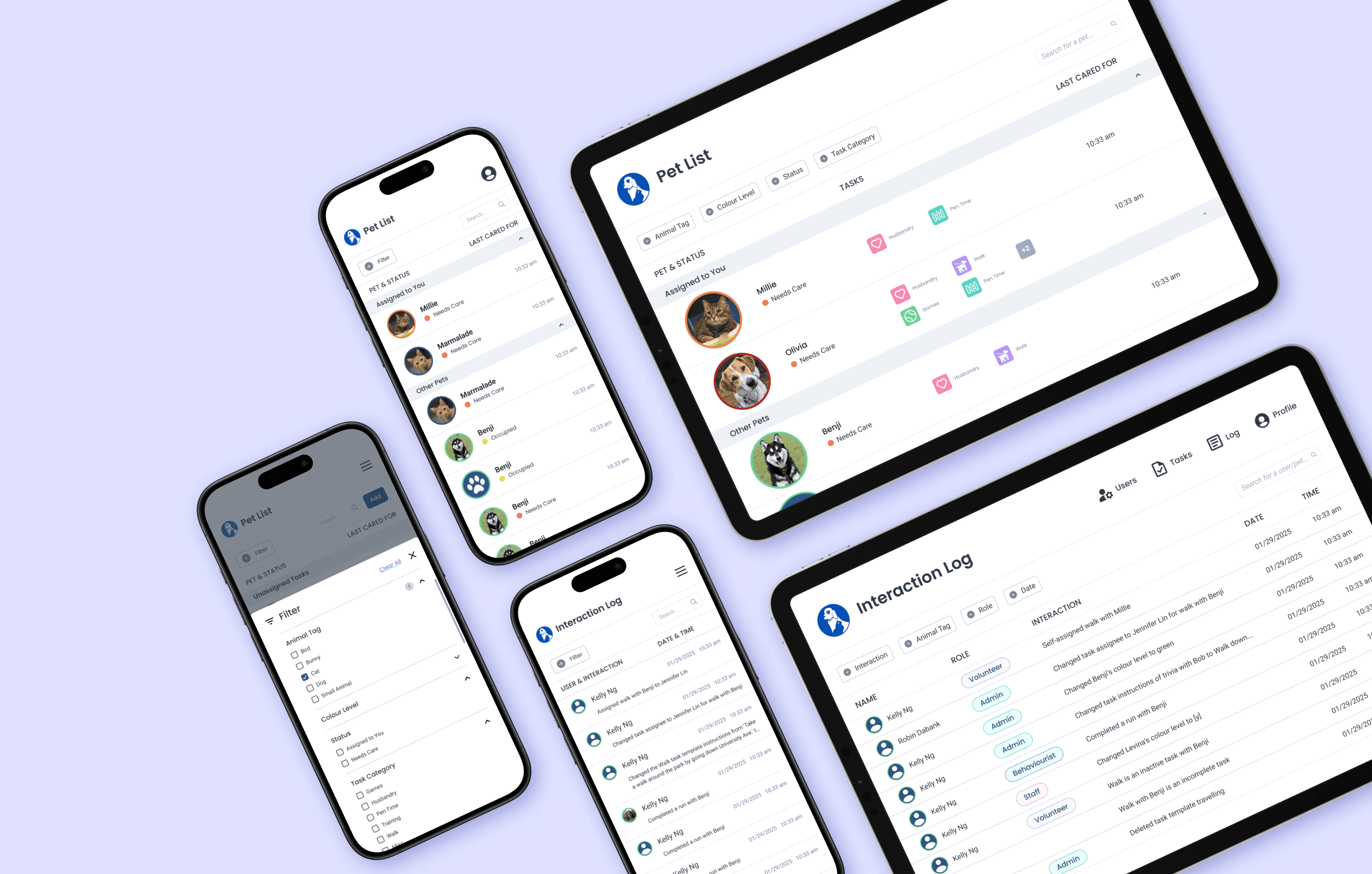
We designed an all-in-one web-app solution for both tablet and mobile devices on browsers! Our primary purpose is to help OMHS organize information. The app will enable volunteers to log in, view pets and tasks based on their skill level, record activities (e.g., walks or playtime), and track pet progress, improving efficiency and animal care. Through 12 months, I led the design of the user management, task management, the invite new user flow, as well as the creation of the design system.
Research
Client Meetings
To discover and investigate paint points, we met with the client!
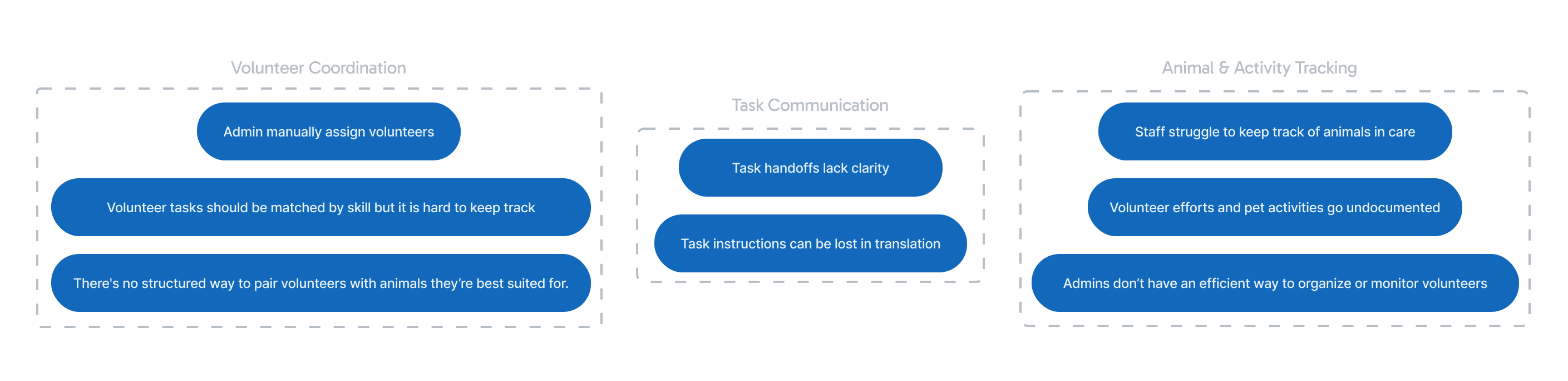
In initial meetings with our client, they were able to provide details of pain points and what features they wanted in the platform.
User Authentication
Pet Profile Uploading
Skill-Based Pet Assignment
Pet Selection and Tracking
Activity Logging
Synthesizing Research
Identifying Pain Point Features
To set the basis for the tool, we worked to derive pain points into corresponding features and flows.
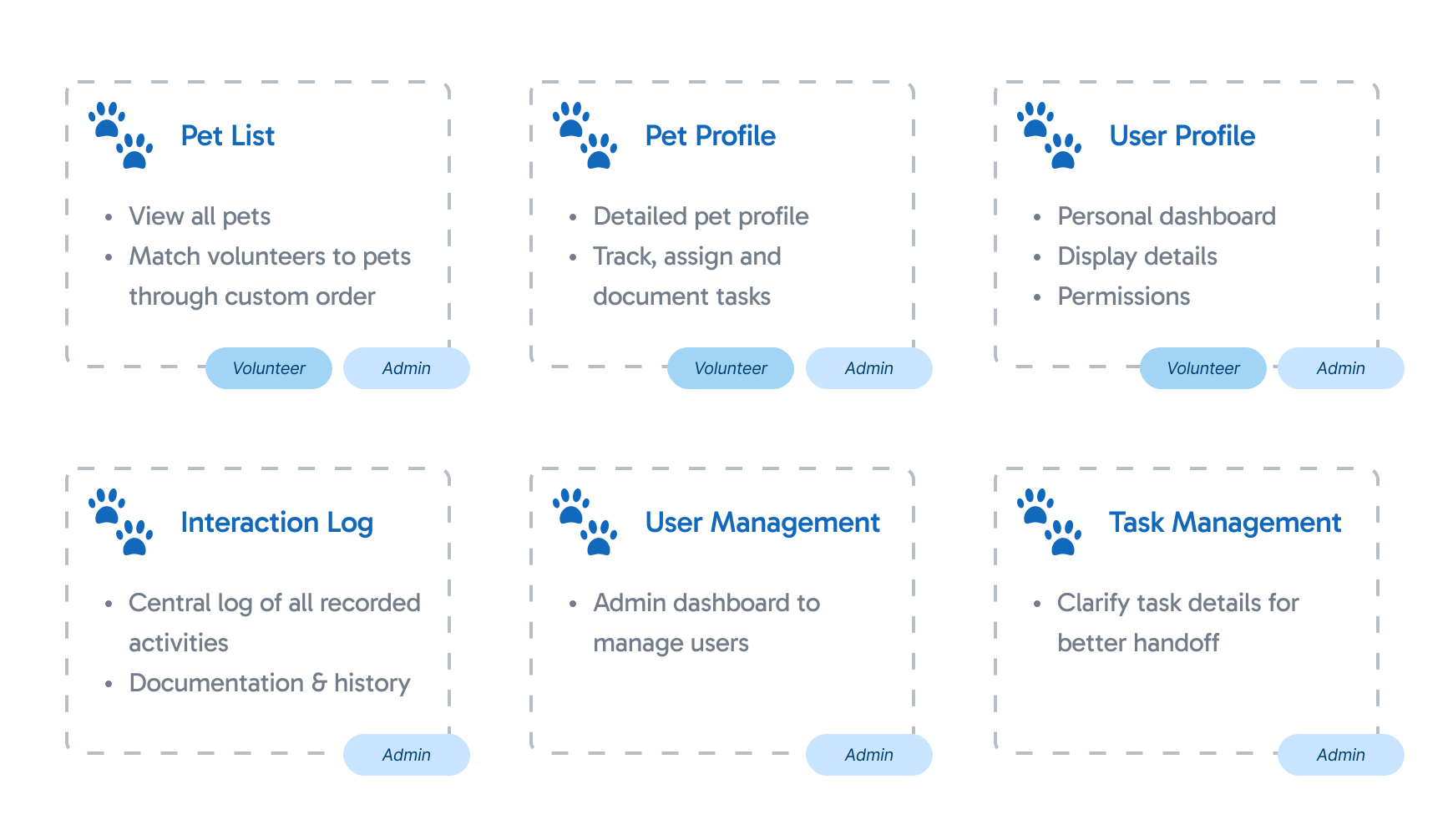
This also had us considering our 4 distinct users (Volunteers, Staff, Animal Behaviorists, and Admin) and time was taken to research and define each of these roles. A Permissions Spreadsheet was then created to determine their tasks and needs for the solution.
User Flows
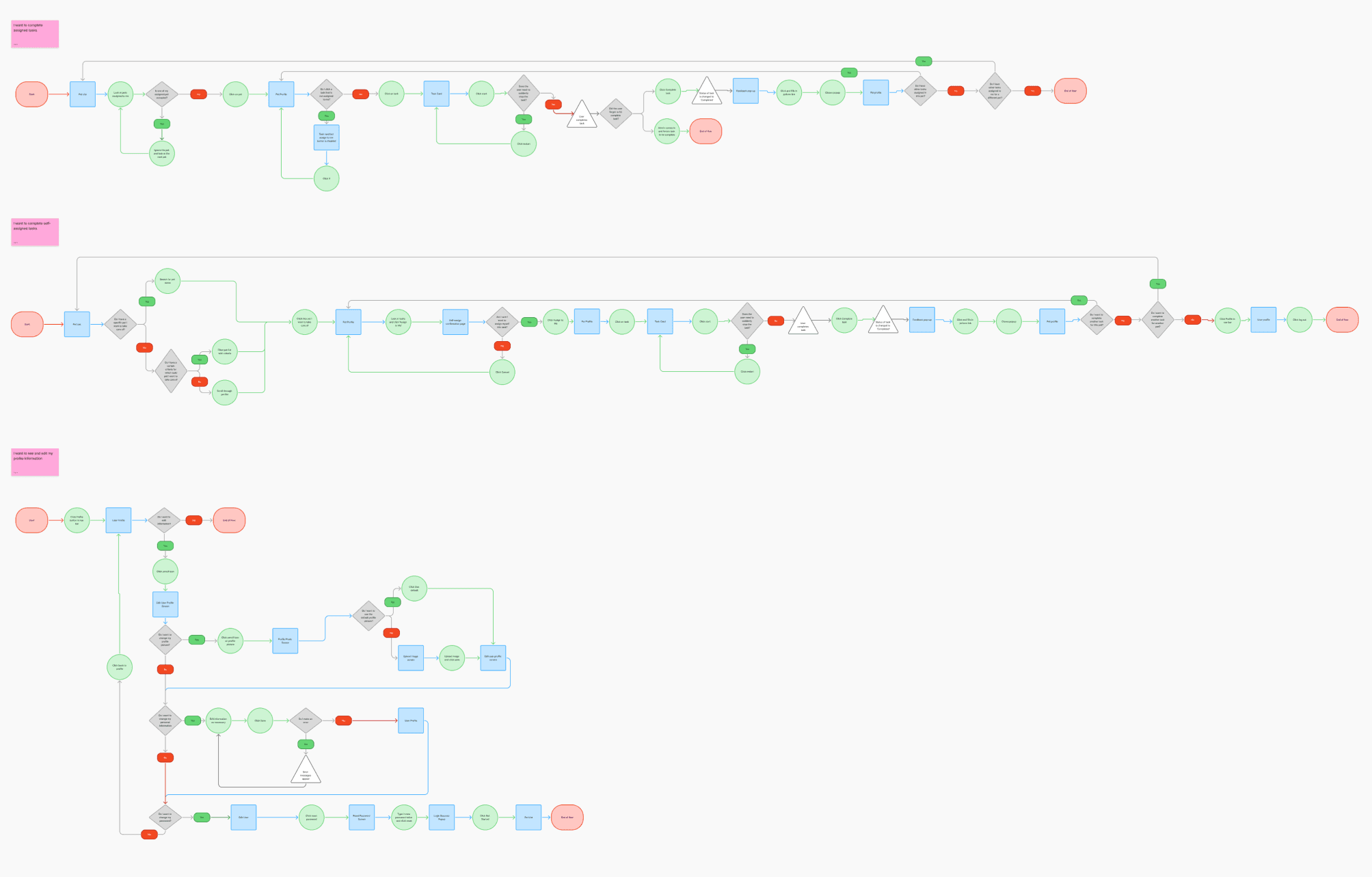
Mapping out User Flows
User Flows were mapped out! We stepped into our users perspectives to visualize their journey, and designed a clear visual guide that smoothly leads users through the process, building understanding and confidence at each stage. (Here's the example for a volunteer!)
User Management
Low Fidelity
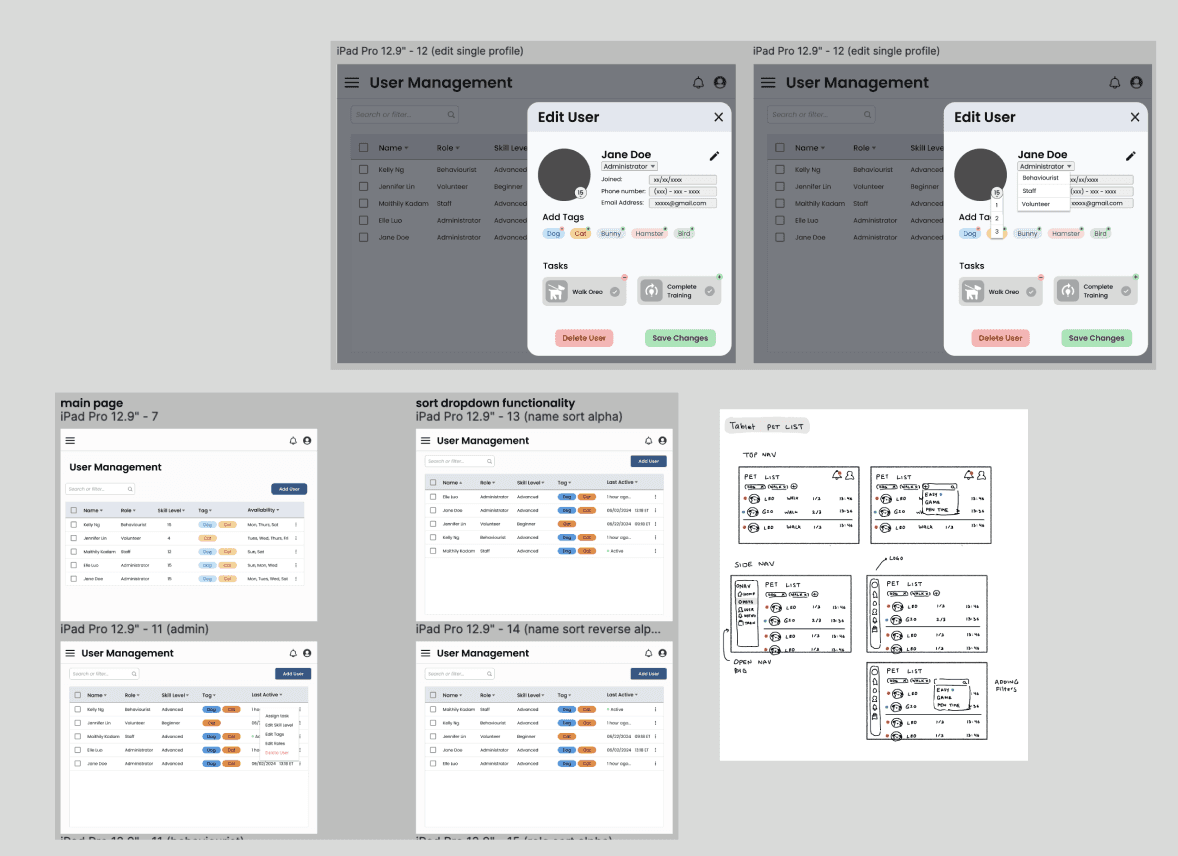
Exploration
I started with designing the User Management page. This was early in the project, before we had a design system or defined visual direction. I began exploring ideas in low-fidelity to focus on feature layout and flow first.
Iteration
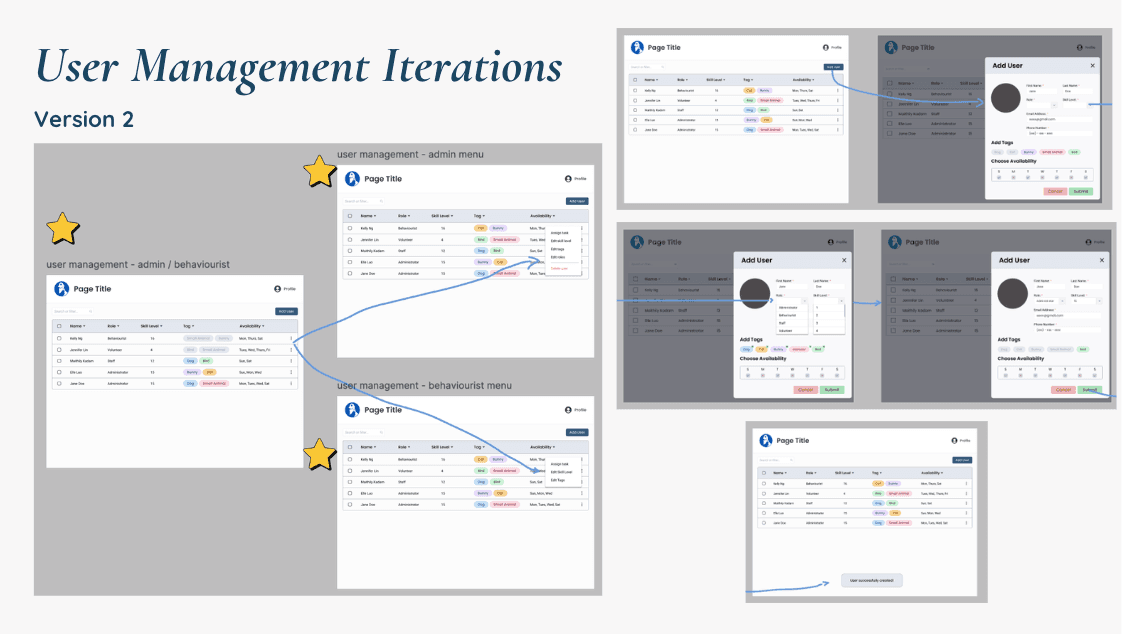
Iterating
The User Management page went through the most iteration as we redefined scope, flows and design system through the first 4 months of work.
Final Design
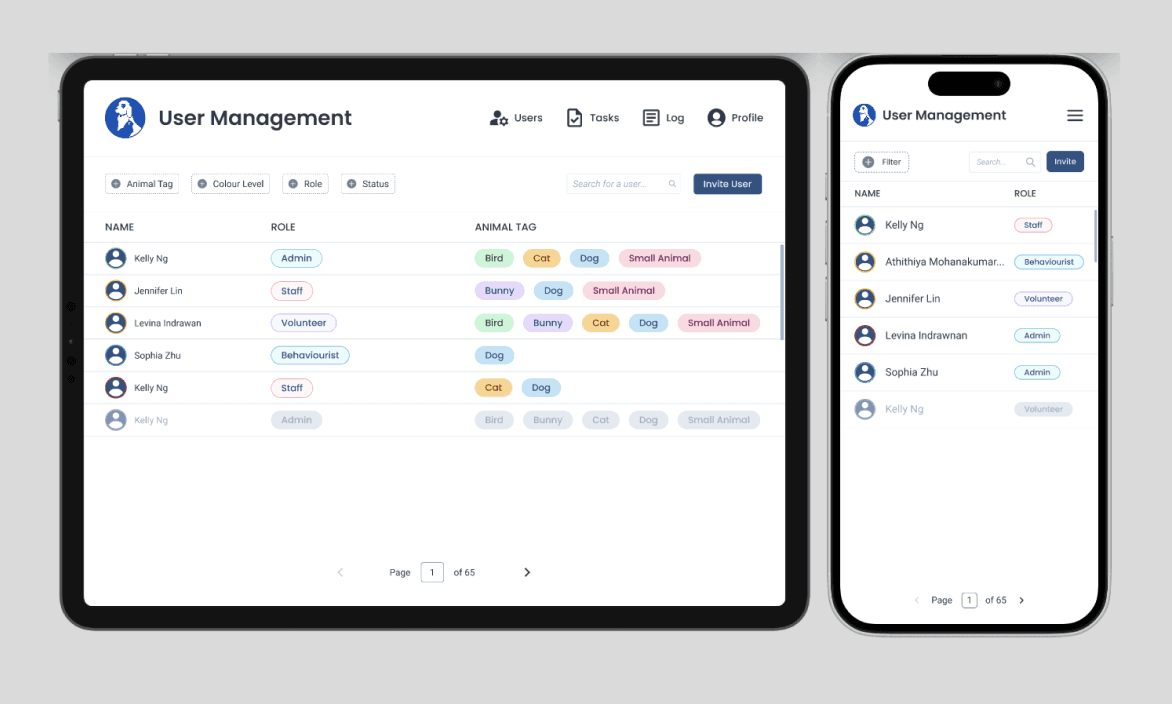
User Management Final Designs
Finalizing the User Management page set the tone for the rest of the tool. It helped lock in consistent layout and interaction patterns moving forward.
Task Management
Idea
Task Management
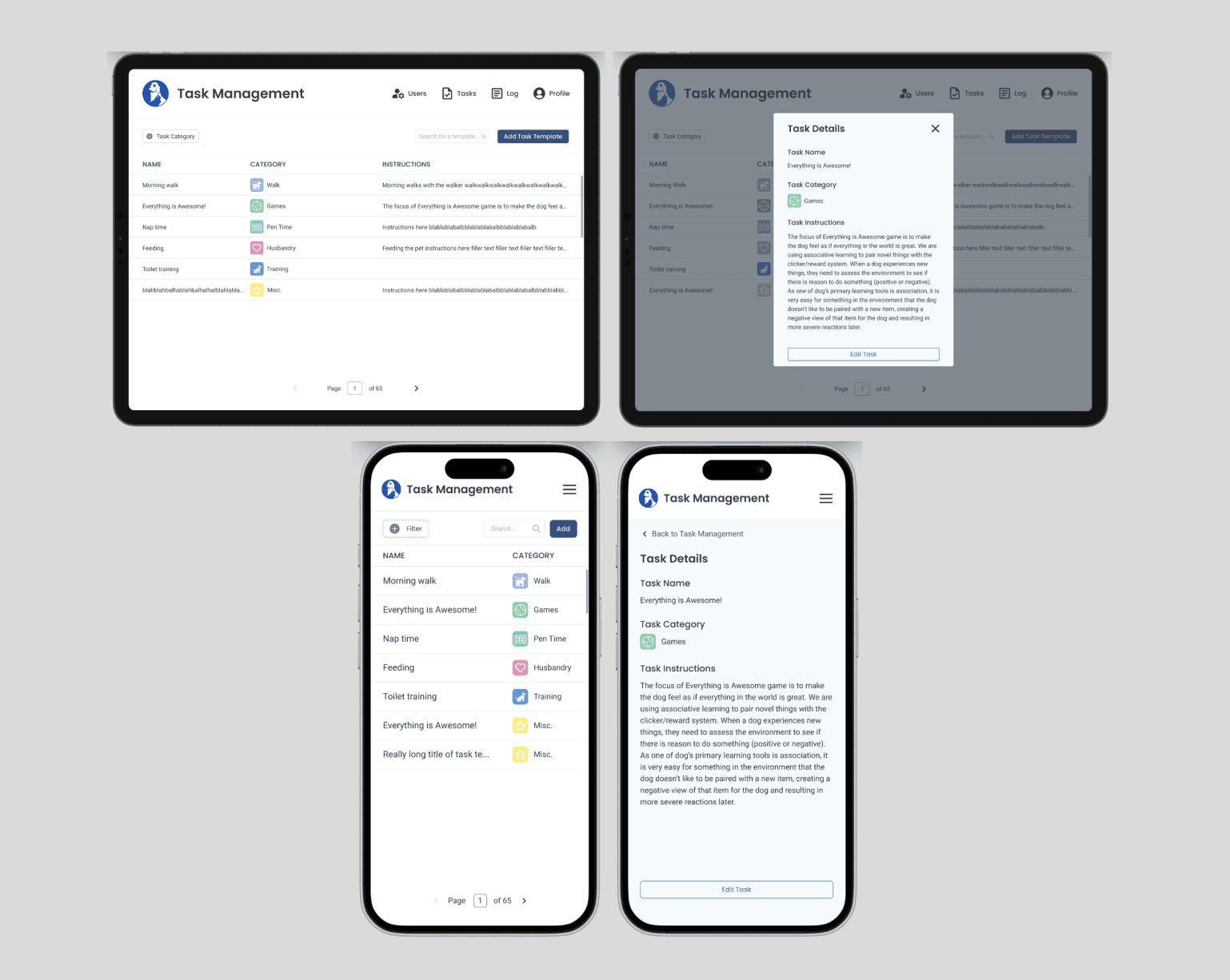
From later discussions, the client wanted a way to manage task templates, so that people can easily assign tasks to each pet profile as an Admin! The feature we derived was similar to in design to the User Management Page, so that where I started!
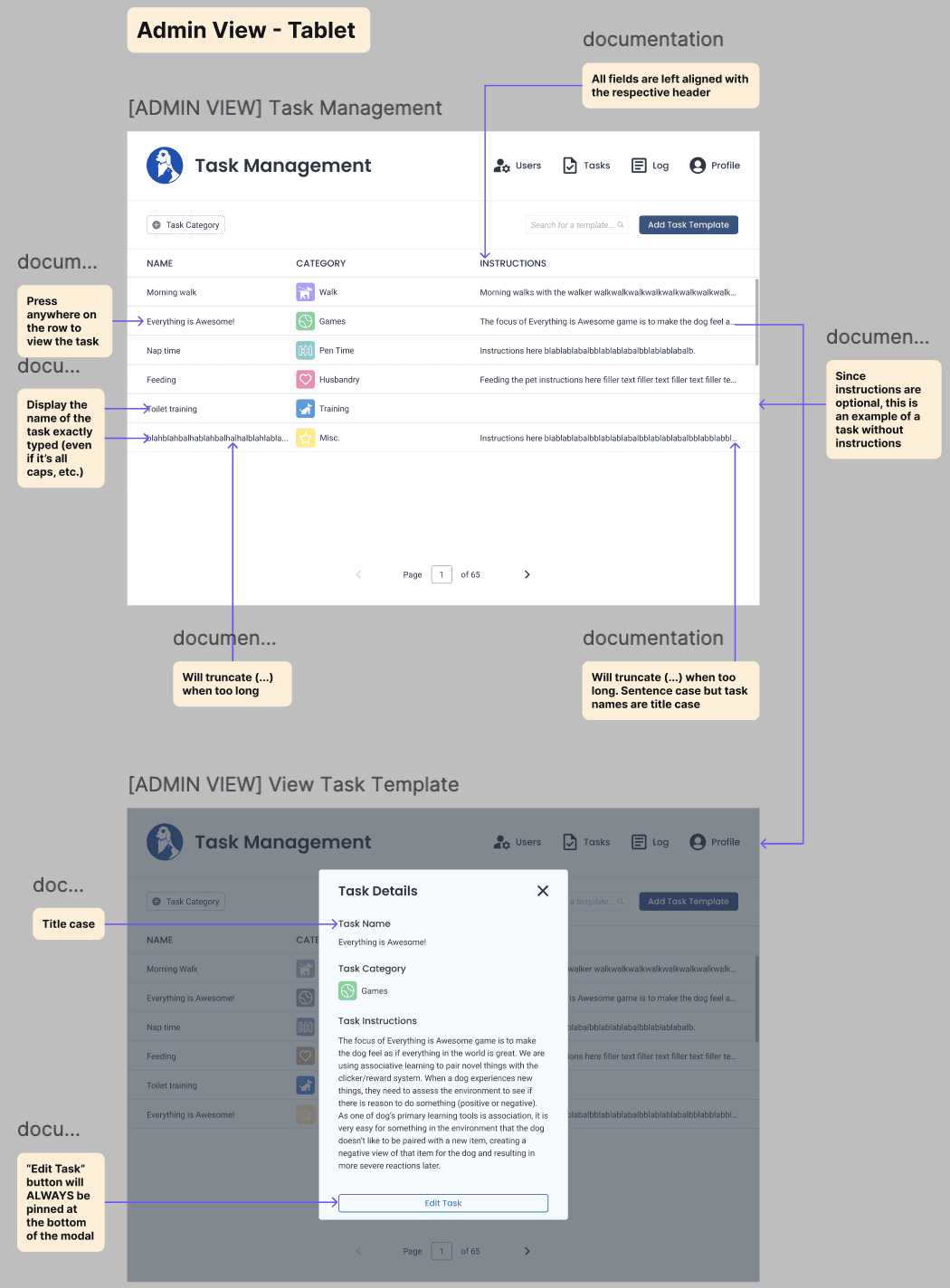
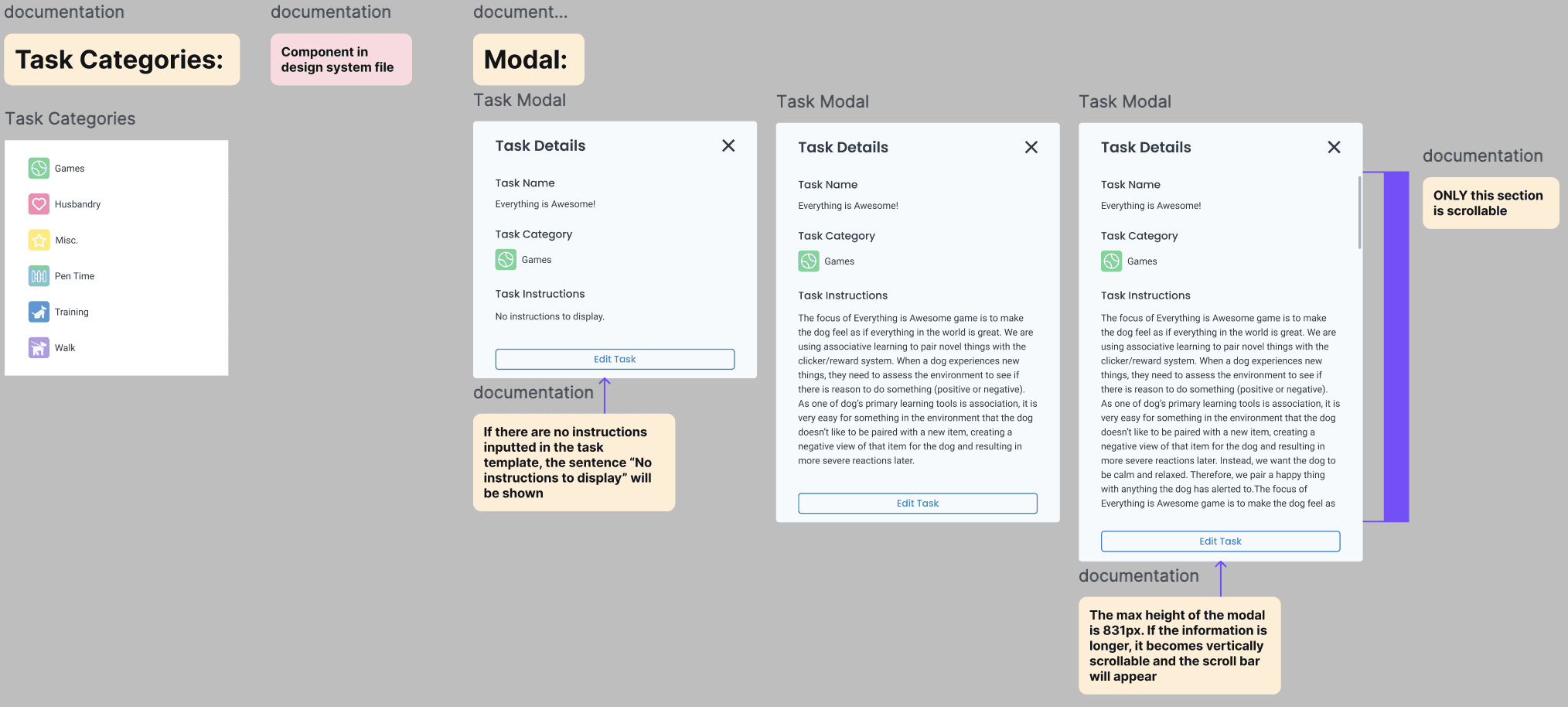
A new page called "Task Templates" would have to be designed, where they are universal templates that can be used to make a task for any pet. New modals and the different components that had to be used for this feature were designed and clearly shown.
Flows
Add/Edit Task Template
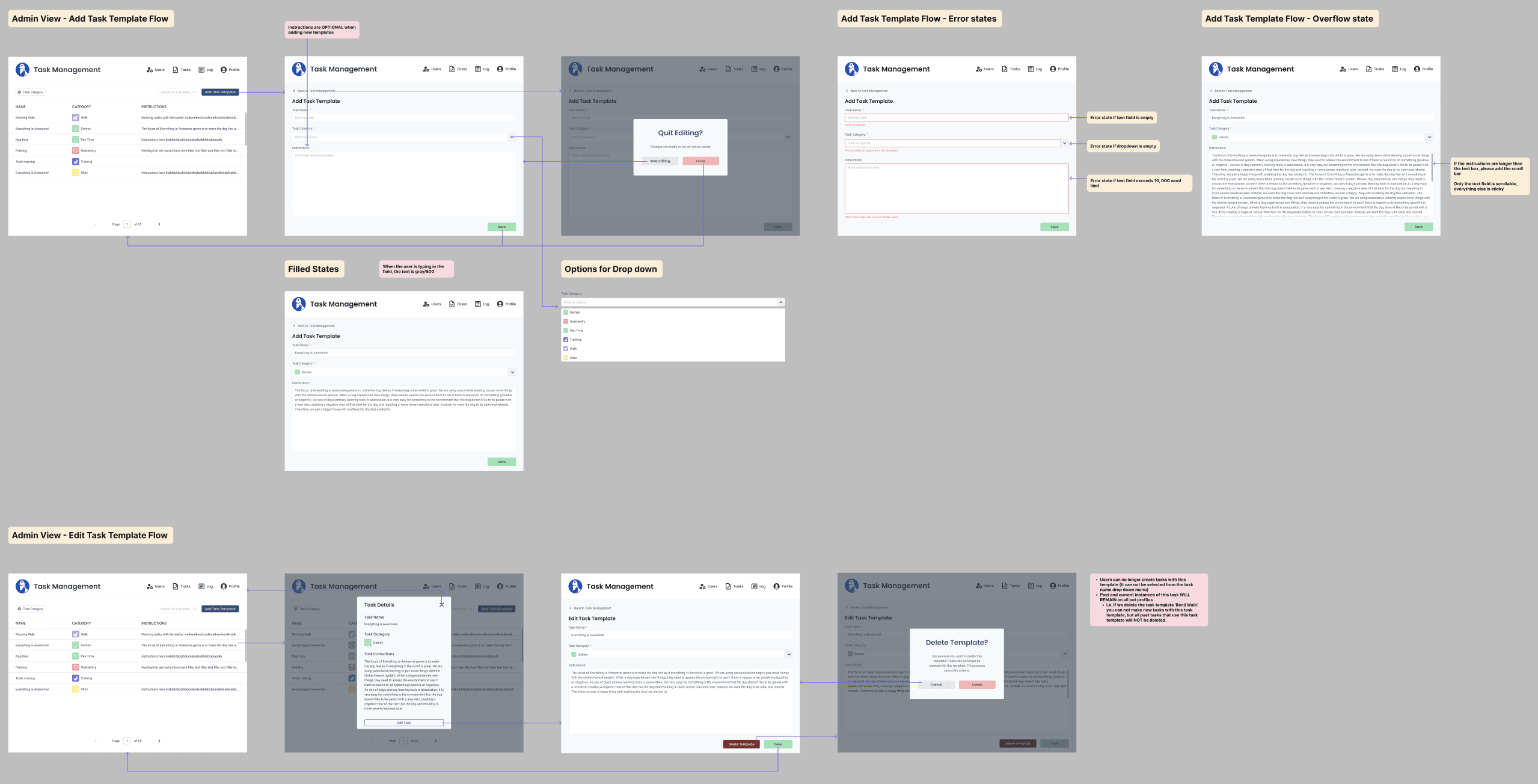
2 new user flows had to be created, one for adding a new task template, and the other to edit an existing task template.
Final Design
Task Management Final Designs
Reflecting
Key Takeaways
What did I learn?
Handoff & Collaboration
This was one of my first real handoffs, so I put in a ton of effort to make everything super clear for our devs. I held walkthrough sessions to explain the designs and recorded videos since development at Blueprint often continues without a designer on hand. I learned so much about what makes a smooth handoff, lessons I carry with me into every project now!
Scoping & Alignment
In the middle of the project timeline, we struggled a lot with misalignment as we lost consistent contact with the client. Working though this experience really reinforced the importance of thorough scoping!
My Gratitude
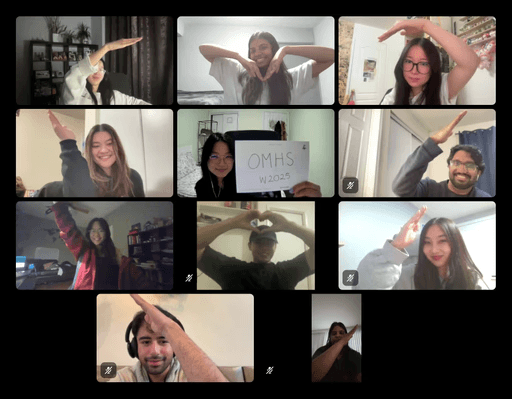
My time as a product designer on OMHS x UW Blueprint was so influential for fuelling my passion for product design and building community. Big thanks to every PM, developer and designer who I met along this journey!
duration
may 2024 - april 2025
role
product designer
team
3 product designers, 2 product managers, 9 developers
category
UI/UX
see also